With Drive One, you warn others about speed controls and other dangers in traffic with the two buttons on the device.
You can quickly report incidents directly from your Drive One Pro device:
Press the “O” button once to report a mobile speed camera.
Press the “X” button once to report a danger on the road.
Press the “X” button twice to report a vehicle stopped in the emergency lane.
Reports are shared with other Drive One users to help improve road safety.
Confirm or reject warnings:
When a warning can be confirmed, a warning icon along with a checkmark (✓) and an X will appear on the Drive One Pro device.
Confirm or reject the warning by pressing:
Confirm: the O button
Reject: the X button
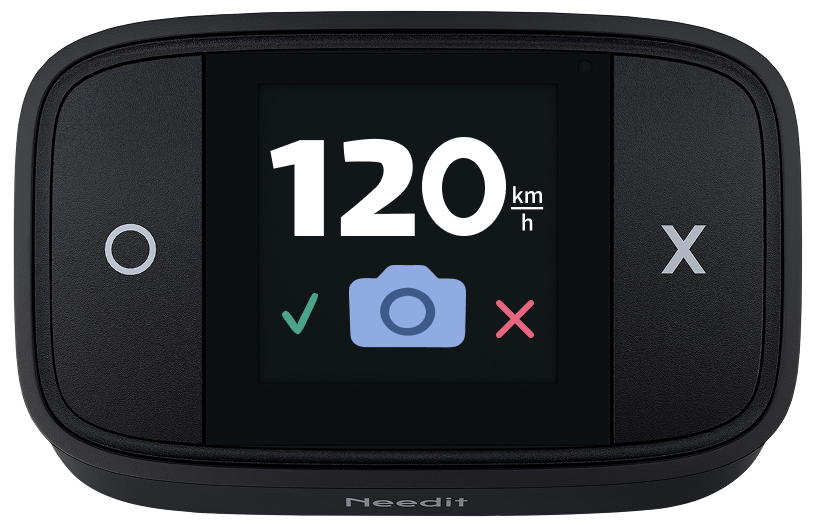
If you and other users do not confirm a warning, it will gradually be downgraded and will eventually disappear as an active warning.
Was this article helpful?
That’s Great!
Thank you for your feedback
Sorry! We couldn't be helpful
Thank you for your feedback
Feedback sent
We appreciate your effort and will try to fix the article